Thursday, September 5, 2013

When Culture Trumps Technology

I was dumbfounded when my colleague "Sue" (not  her real name) announced in a meeting that the decision had been made to use "Redhat", our department file share server, for the collaboration and document management needed for an important, new, company-wide, committee and subcommittees. While it was not mentioned in the meeting, I knew that this committee would eventually need to share its work with a group of outside reviewers.


I gulped and blurted out, "Did you think about using Google Drive?" What a stereotypical tech guy thing to do. Skip all the discussion, consideration, dialog and feel-good collaboration and go straight to the solution. I knew that Google Drive would meet all their needs and minimize the need for IT to set things up and keep them going. I scheduled a meeting in which I would review the many advantages of Google Drive. I dazzled them with my brilliance as I showed them example after example of how easy Drive is to use.

Fast forward one week. The CFO sends me an email. He just got out of a committe kickoff meeting where it was announced they would be using ... wait for it ... flash drives for document management and collaboration. 


Head exploding. Can't think straight. What to do? How can this be happening? I just showed them all the amazing wonders and advantages of Drive. I guess my educational/training meeting was a complete failure. I had been planning a big Google Drive launch this fall with training and promotional messaging and the whole deal. Now a highly visible group of campus leaders have put the bus in reverse and stepped on the gas!

As I stewed and thought about all of this I realized that a much deeper problem exists that gave rise to this problem. That is the familiar old "silo" problem that so many organizations struggle with. I recently heard this referred to as "culture trumps technology". Rather than view the IT folks as subject matter experts in technology and go to them with a list of requirements, a group of well-meaning users "solves" the problem on their own. They wonder why on earth the IT guy wastes their time ranting about some new-fangled way of storing documents in the "cloud". 
Sensing that there was something bad about the "Redhat" solution (why else would IT have raised red flags?), they went back to find a better solution, but again on their own.

So, at the end of the day, the "silo" culture takes over and prevents the application of the right technology to the problem at hand. Successful, modern organizations are good at the latter. Organizations that can't or won't use computers for what they are good at, and people for what they are good at, will languish in mediocrity.

Are you using your technology people as experts? IT should be your first stop when you have a project that involves technology. And don't tell them the solution you need (I need 10 flash drives), tell them what you are trying to do (I need to share documents among 10 committees and post the results to a web site). Then heed what they say!

Don't let (bad) culture trump (good) technology!

Thursday, September 6, 2012

iLearn? AppleTV and AirPlay in the Classroom

In higher education, consumer technology is both a blessing and a curse!

The curse?
Each fall I cringe, wait and wonder what new gadget will show up in the dorms, converting wireless bandwidth into the latest gotta-have-it diversion. Faculty and staff get these gadgets too and bring them to IT asking for help in getting them to deliver the promise that was advertised.

The blessing?
New gadgets bring new opportunities to do useful things in new ways, usually at less cost.

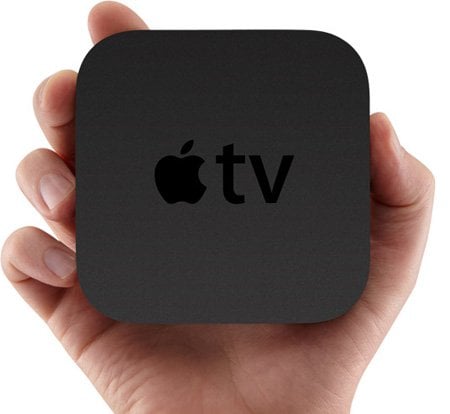
The AppleTV is an amazing example of such a gadget. At $99 it delivers a wide array of streaming media (video and audio) along with desktop mirroring (using AirPlay) to the classroom. Sure, we could use the classroom technology podium computer for desktop sharing, but this is so cool!

Actually it really is cool! Professors can now move around the classroom completely untethered from a podium. All you need is an iPad and an iTunes account (ok, maybe a NetFlix, YouTube, Hulu, ... account too) and you're GTG

At least, that's how the consumer technology promise goes. Of course, reality isn't quite so uncomplicated. It turns out that Apple's products
rely on the Bonjour protocol, a proprietary protocol 
that sends something called multicast packets across the network to discover other Apple devices on the same network. Colleges and universities typically use complex enterprise networks for wired and wireless connections across campus. Complex enterprise networks block multicast traffic to prevent flooding the network, and the hundreds or thousands of devices on the network, with these discovery packets. This is a big enough deal that a group of over 750 university technology administrators recently signed a petition demanding that Apple redesign their protocols to work in large enterprise networks.

To give you an example of the enterprise multicast problem, imagine coming home and yelling "Hello, is anyone home?". Now, imagine entering a room with 100 people all yelling "Hello, is anyone home?". On your small home network with a handful of devices, "shouting" works just fine, but this approach causes serious problems on a large, enterprise network, causing serious congestion over wireless networks.

Our challenge this summer was to figure out how to put an AppleTV in a classroom with a display, allowing a professor to come to class with an iPad, connect to an AppleTV over the wireless network, and use AirPlay to give a KeyNote presentation. Of course, the iPad's Remote app can also be used to play YouTube, NetFlix or Hulu video, iTunes music and a whole host of other cool content.

Well, thanks to my talented and tenacious team who figured out how to get our Cisco enterprise network to tolerate Apple's Bonjour protocol, Simpson University is rolling out AppleTVs in 5 classrooms this fall! We have professors who are excited to start using their iPads and we are excited to see if this new technology will result in more effective learning. Stay tuned!

Monday, March 26, 2012

Taking IT to the cloud

It was an epic Monday today. After a concerted two week effort, yes I said two weeks!, our university went live on Google Apps today. It's spring break this week, giving us a slight lull in the normal flow of campus life, during which we could slip this change in to the very heart of our communication infrastructure.


My IT staff rocks! Over two weeks we ran many tests, measuring an aggregate failure rate of < .04% for email, calendars and contacts. We ran directory sync against our AD to auto-provision our users. We ran Google Exchange Migration to push all emails except those from the last two weeks over to Google. Then this weekend we pushed the remaining emails, along with calendars and contacts (in separate batches) over to Google.

I have to give credit to the vast majority of our users who were patient and followed instructions pretty well. They got themselves connected with a minimum of assistance from our Help Desk. The bulk of our calls today were from people who didn't receive that last email to Outlook giving them their temporary Google password. Perhaps the biggest kudos go to one prof at our South Korea site who got himself connected with a minimum of hand holding!

The biggest obstacle? Change! It's unbelievable how many people asked if they can keep using Outlook or Entourage. In all of our communications about the Google migration we have emphasized to our users the importance of adopting the web browser as the primary user interface for Google Apps. Google is designed to be presented via the web browser. Color me so surprised that people still asked the Help Desk to hook Google up to Outlook. One professor proudly announced that he had gotten his Entourage to work with Google.

Problems encountered ... 
    1. Administrative Assistants
    We should have set up administrative assistant calendar delegations FIRST! As a result most calendar appointments for the President and VPs did not get migrated! They were very patient as we found and resolved the problem.

    2. Hidden Dependencies
    Watch out for those long forgotten dependencies like the electronic fax server and MFP dependency on a print management program that integrates with Exchange to relay outbound faxes to the fax server. Oops! BTW - this is why I have been pushing TOGAF ... it pays to have your architectural dependencies documented!


    3. Oblivious Users
    We went to a lot of trouble to prepare a migration web site with loads of getting started information, FAQs and tutorials. I can't believe how many calls we received asking about topics that we covered on our migration web site. I know, right?